
Assistive technology
Digital design must be compatible with assistive technologies to be considered accessible. Designers who understand these technologies can create better experiences for all users.

Assistive technologies
There are myriad technologies that a user may employ to support their usage of digital media. Screen Readers and Braille Displays are two of the most important assistive technologies for designers to consider.
Screen readers
Screen readers are an assistive software that is relied on by many users who are partially sighted, low vision, or blind. The technology takes the text of a document and uses voice synthesis to read it aloud. Two of the most popular screen readers are JAWS for Windows and NVDA for Windows, followed by the built-in VoiceOver for Apple products. If you haven’t already, try using screen reader software on your desktop or mobile device. The experience of listening to content on a screen reader can be invaluable.
Braille displays
Refreshable Braille displays (or Braille terminals) are an assistive hardware relied on by some users who are low vision and hard of hearing. The technology takes the text of a document and displays it as Braille, utilizing round tipped pins which are raised or lowered through many holes in a flat surface. These displays allow the user to read constantly updated content with their fingers, one line at a time, often at a very quick pace.
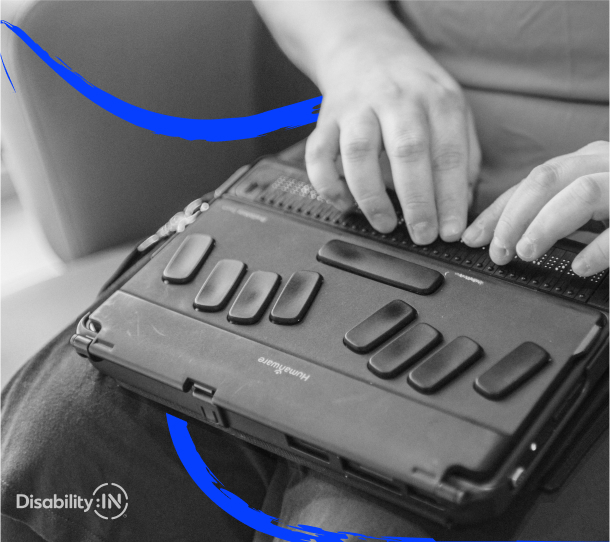
Using assistive technologies
Sighted users can look at the entirety of the screen’s content at once. This persistent visual model of information allows them to explore the page in a non-linear manner with relative ease.
Assistive technologies, like screen readers, cannot communicate an image of the entire screen at once. They are limited to reading the content in a linear manner, one word at a time. Users of these technologies will often skip from one heading or section to another, as soon as they have read enough to determine its relevance.
This linear reading imposes a certain amount of unwanted content on the user, who has to remember the order of content to build a mental model for navigating the page. The result is a higher cognitive load. Such a process takes additional time, energy, and skill. Accessible design minimizes these demands on the user.
Input devices
Another key technological requirement for accessible design is robust compatibility with input devices. Users without eyesight are unlikely to use a mouse or other pointer device. Some people may use voice-recognition software to direct their computer with spoken commands or word-prediction software to enhance their typing speed. Others may use hardware devices such as a single-handed keyboard, foot switches in place of a mouse, or eye gaze tracking technology. In most cases, ensuring full compatibility with the keyboard will accommodate adaptation to other input devices.
Beyond the diverse array of input devices that need to be supported, assume a wide variance in users’ ability to operate their devices.
Regardless of the input device, people with limited motor control may face challenges in filling out forms or operating other user interface elements. An accessible digital design minimizes the requirements for dexterity or motor control.